WhatsApp Business Cloud: Marketing Messages and Self-Service That Convert
Learn how B2B companies use WhatsApp Business Cloud API for marketing messages, self-service automation, and conversational commerce with 90%+ open rates.

WhatsApp Business Cloud: Marketing Messages and Self-Service That Actually Convert
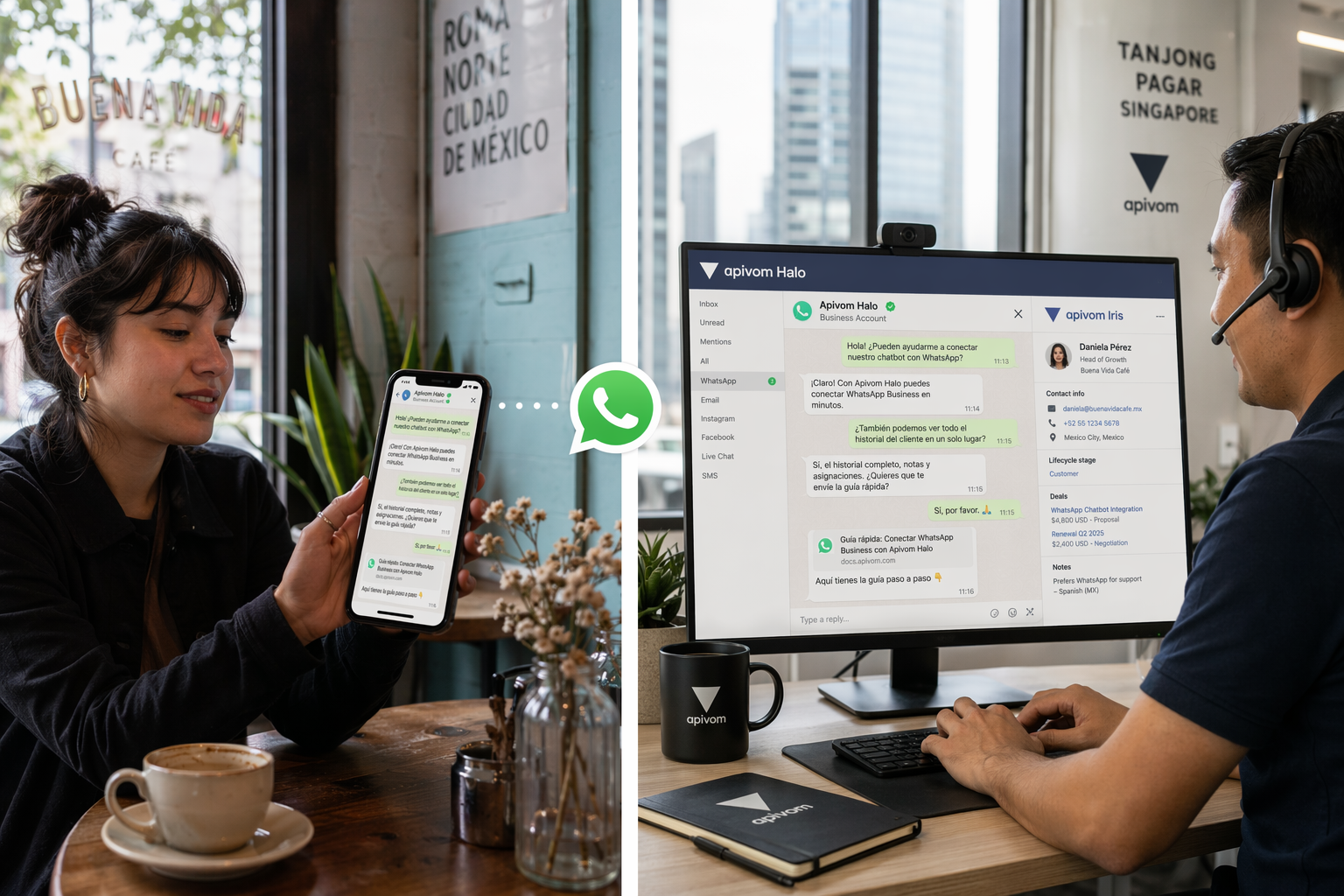 WhatsApp has over 2 billion active users worldwide. In markets like Turkey, the UAE, Brazil, and India, it is not just a messaging app — it is the primary communication channel for both personal and business interactions. For B2B companies, this creates a unique opportunity: meet customers where they already are, with messages they actually read.
With WhatsApp Business Cloud API, companies can go beyond basic customer support. You can send targeted marketing messages, automate self-service workflows, and create conversational experiences that drive real business outcomes — all while maintaining compliance with Meta's commerce policies.
Why WhatsApp Business Cloud for B2B?
Traditional B2B communication channels — email, phone, portals — each have friction points:
| Channel | Open Rate | Response Time | Friction |
|---|---|---|---|
| 15–25% | Hours to days | Spam filters, buried in inbox | |
| Phone | N/A | Immediate but intrusive | Calendar scheduling, voicemail |
| Customer Portal | N/A | Self-paced | Login fatigue, forgotten passwords |
| 90%+ | Minutes | Already installed, no login needed |
WhatsApp Business Cloud bridges the gap between the immediacy of phone calls and the scalability of email — with read rates that dwarf every other channel.
Marketing Messages: Reach Customers with Purpose
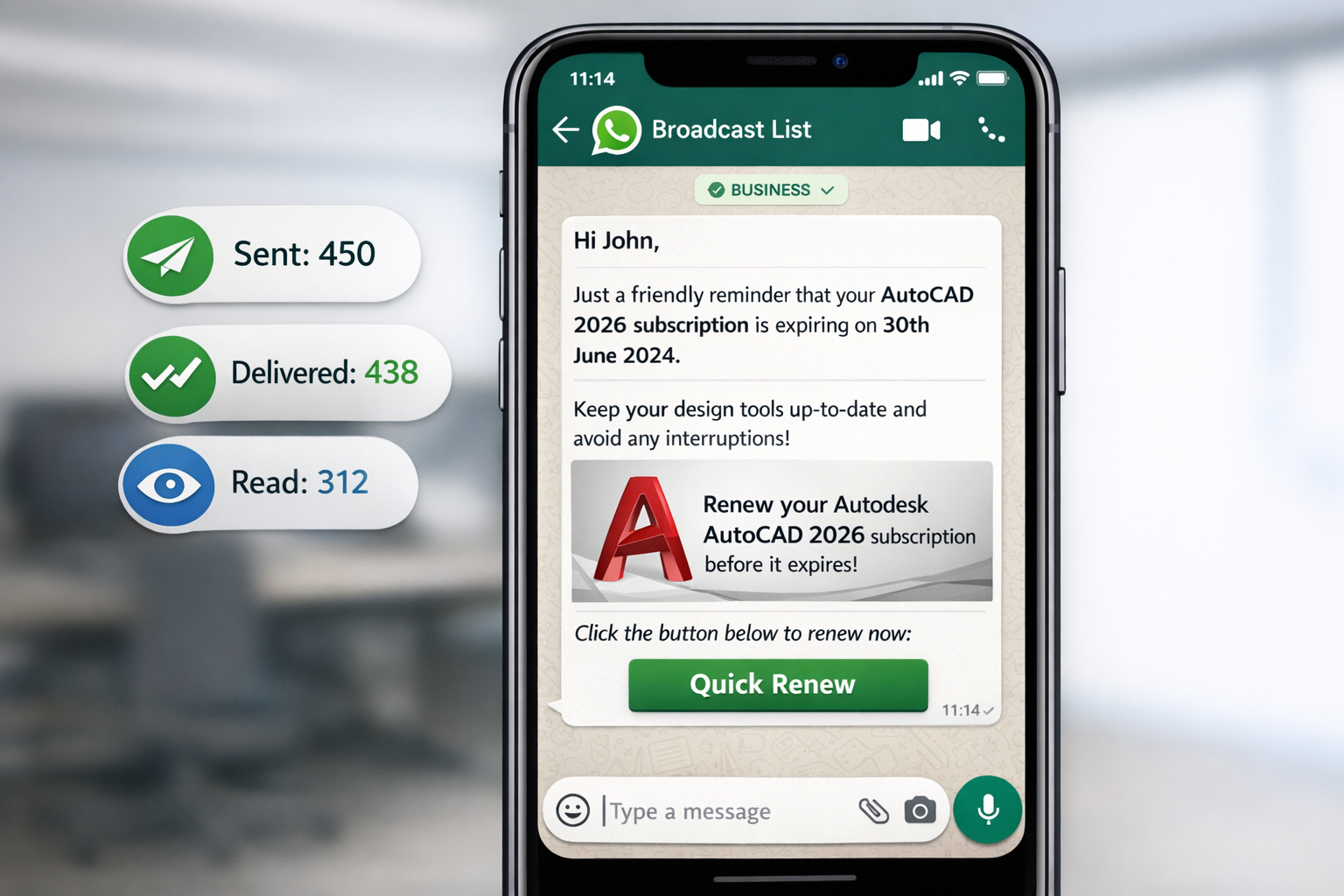
WhatsApp's Marketing Message Templates allow businesses to proactively reach customers who have opted in. Unlike spam, these are pre-approved by Meta, ensuring quality and relevance.
What You Can Send
- Product announcements — New feature launches, version upgrades
- Renewal reminders — Subscription expiry alerts with one-tap renewal
- Event invitations — Webinars, workshops, product demos
- Seasonal campaigns — Promotional offers with personalized pricing
- Re-engagement — Win-back messages for inactive accounts
- Cross-sell recommendations — Based on usage data and purchase history
How It Works with Apivom
Through Apivom Atlas, WhatsApp Business Cloud API is integrated as a first-class channel:
- Template Management — Create and submit message templates for Meta approval directly through Atlas
- Audience Segmentation — Use Apivom Orbit CDP data to target the right contacts
- Personalization — Dynamic variables pull from CRM data (company name, contract end date, account manager name)
- Delivery Tracking — Real-time delivery, read, and reply metrics flow into your analytics dashboard
- Automation Triggers — Apivom Staff workflows can trigger messages based on events (renewal in 30 days, usage threshold reached, etc.)
Real-World Example: Subscription Renewal
Hi {{company_name}},

Your {{product_name}} subscription expires on {{expiry_date}}.

Renew now to keep your team productive:
→ [Renew Subscription]

Questions? Reply here and your account manager {{am_name}} will assist you.
This single message can achieve what would otherwise require 3 emails, 2 phone calls, and a portal login.
Self-Service: Let Customers Help Themselves
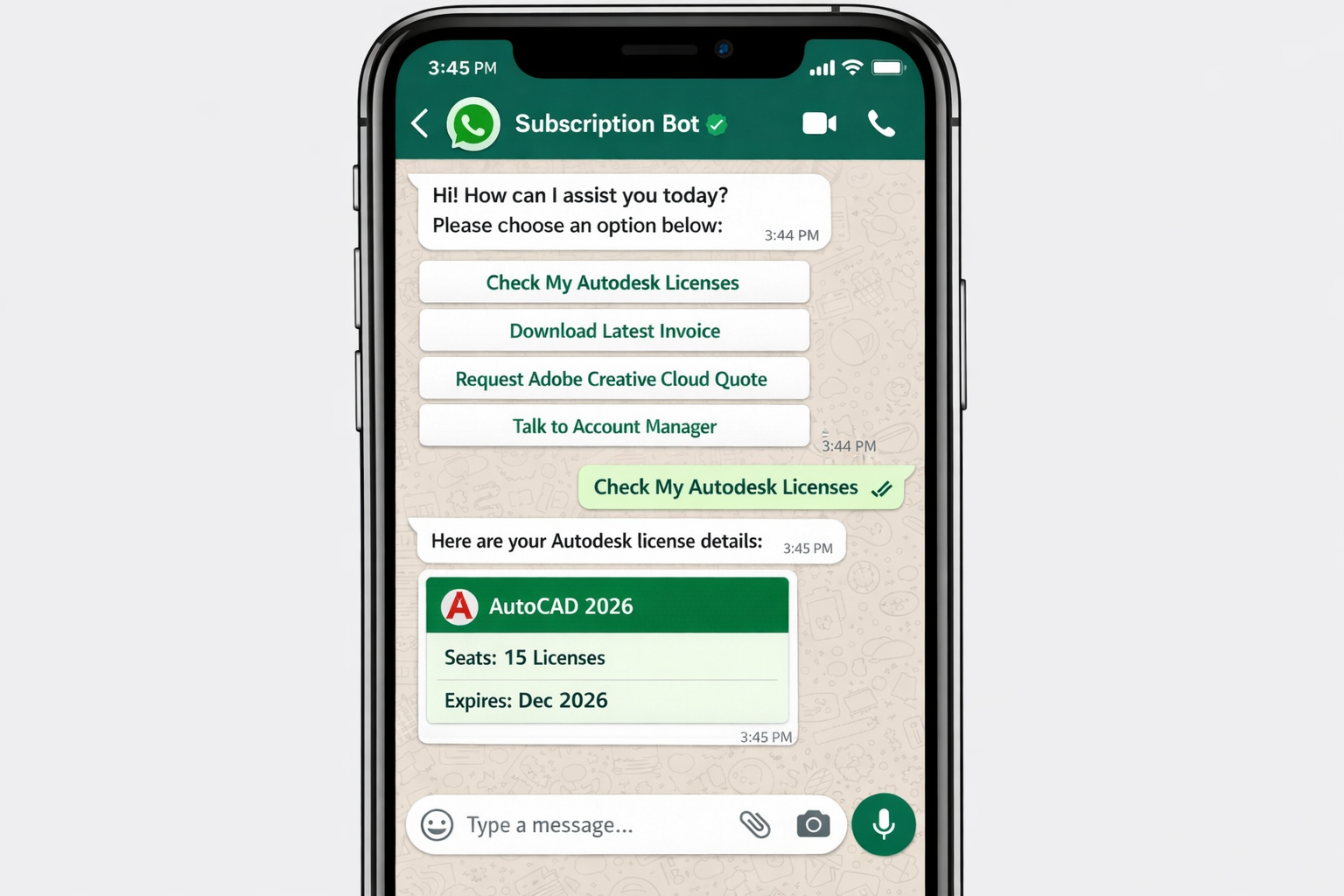
The second — and often more impactful — use case is self-service automation. Instead of directing customers to a portal or waiting for business hours, WhatsApp becomes an always-on service desk.
Self-Service Capabilities
| Capability | How It Works | Business Impact |
|---|---|---|
| Invoice requests | Customer sends "invoice" → bot retrieves latest invoice PDF | Reduces support tickets by 40%+ |
| Order status | Customer sends order number → real-time status from ERP | Instant answers, no waiting |
| Quote requests | Guided flow collects requirements → generates quote | Accelerates pipeline velocity |
| License information | "Show my licenses" → current subscription details | Self-service at scale |
| Meeting scheduling | "Book a call" → calendar integration with available slots | Zero email ping-pong |
| Document submission | Customer sends PDF/image → auto-processed and filed | Paperless operations |
Interactive Message Types
WhatsApp Business Cloud supports rich, interactive message formats:
- Quick Reply Buttons — Up to 3 predefined response options
- List Messages — Up to 10 options in a scrollable menu
- CTA Buttons — Direct links to web pages or phone calls
- Location Sharing — For service dispatch or store locators
- Document Sharing — PDFs, images, and files up to 100MB
Conversational Flow Example: Quote Request
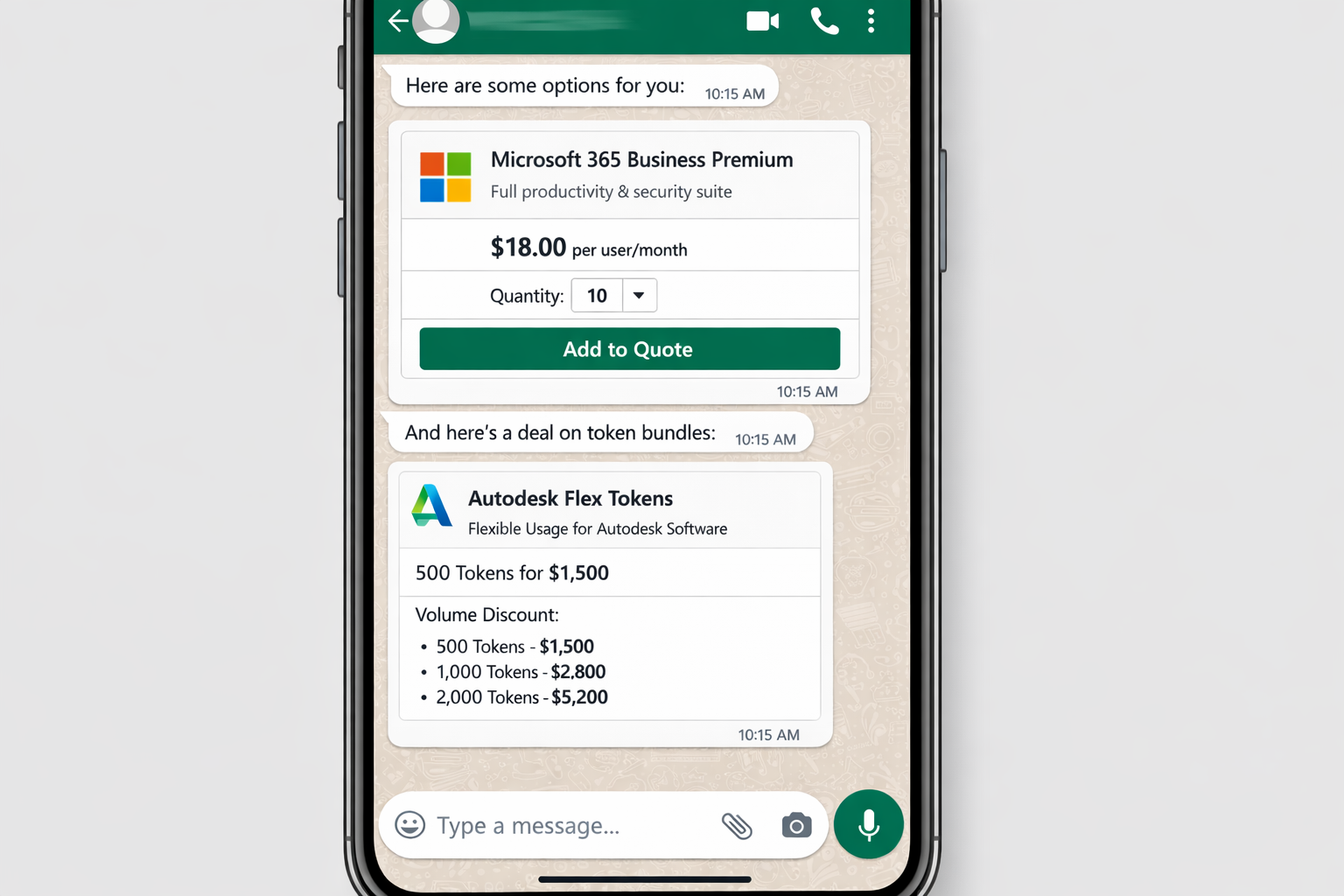
🤖: Welcome! How can I help you today?
   [Get a Quote] [Check Order] [Talk to Human]

👤: [Get a Quote]

🤖: Great! What product category are you interested in?
   • Design & Engineering
   • Construction
   • Manufacturing

👤: Design & Engineering

🤖: How many seats do you need?
   [1-5] [6-20] [21-50] [50+]

👤: [6-20]

🤖: Perfect. I've generated a preliminary quote for you:
   📄 Quote #QT-2026-4521
   Product: AutoCAD + Docs Bundle
   Seats: 10
   Annual: $X,XXX

   [Accept & Proceed] [Modify] [Speak to Sales]
This entire flow happens in under 60 seconds — no portal login, no form filling, no email waiting.
Compliance and Best Practices
WhatsApp Business Cloud enforces strict quality standards. Here is how to stay compliant:
Opt-In Requirements
- Customers must explicitly opt in to receive marketing messages
- Opt-in must be clear about what types of messages they will receive
- Easy opt-out must always be available
Message Quality
- Meta monitors quality signals (blocks, reports, low read rates)
- Poor quality can result in reduced messaging limits or template rejection
- Always provide value in every message — no spam
Data Privacy
- End-to-end encryption for all conversations
- GDPR and KVKK compliance through proper consent management
- Message retention policies configurable per business need
Integration Architecture
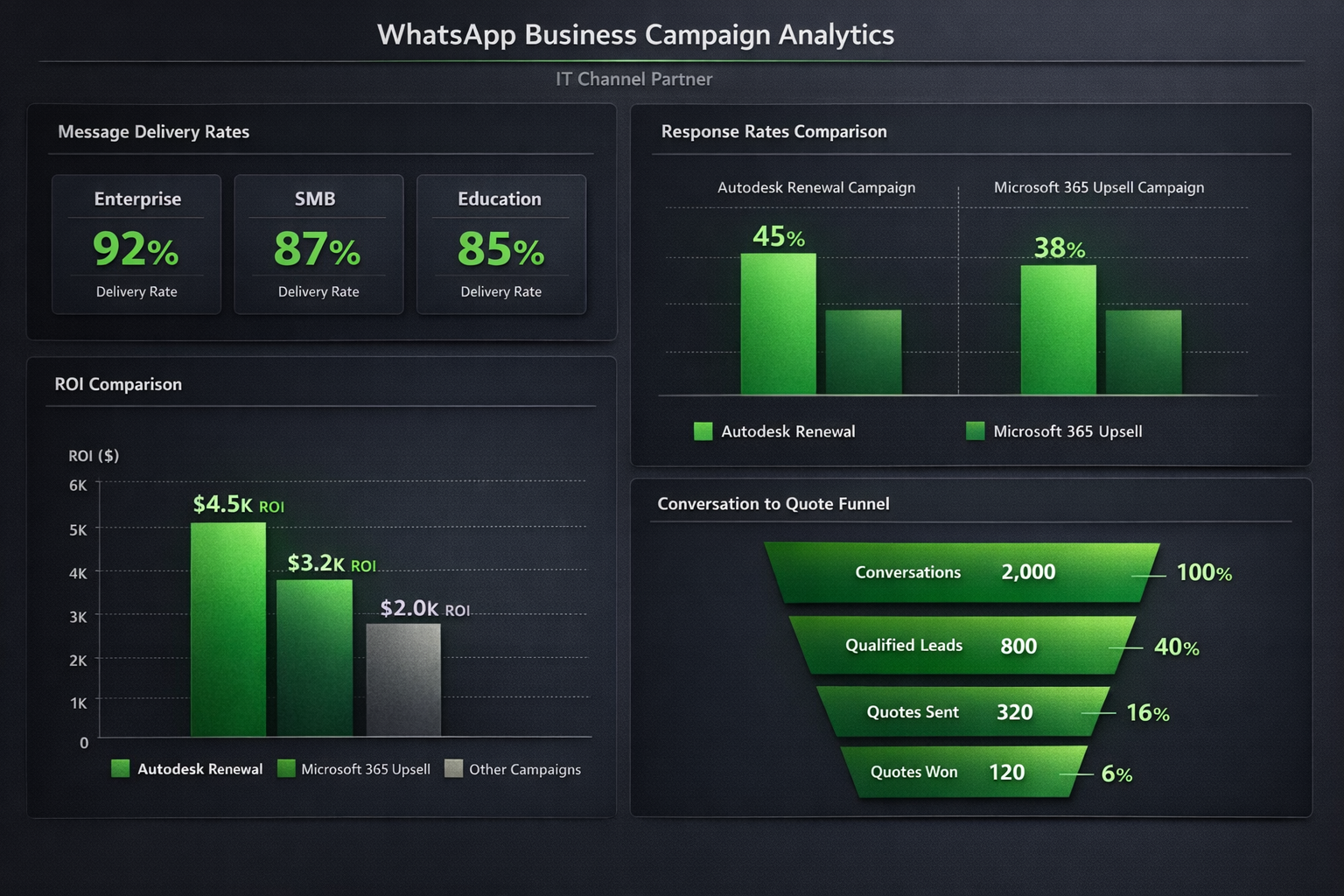
Here is how WhatsApp Business Cloud integrates with the Apivom platform:
Customer (WhatsApp)
    ↓
Meta Cloud API (Webhooks)
    ↓
Apivom Atlas (API Gateway)
    ↓
┌─────────────┬──────────────┬────────────────┐
│ Apivom Halo │ Apivom Mars  │ Apivom Staff   │
│ (Live Chat) │ (Campaigns)  │ (Automation)   │
└─────────────┴──────────────┴────────────────┘
    ↓
Apivom IrisOne (CRM - Contact History)
Every WhatsApp interaction is captured as a contact activity in Apivom IrisOne, giving your sales and success teams full conversation context.
Getting Started
Implementing WhatsApp Business Cloud with Apivom is straightforward:
- Register — Set up a Meta Business Account and WhatsApp Business Platform access
- Connect — Link your WhatsApp number to Apivom Atlas via webhook configuration
- Design — Create message templates and conversational flows
- Launch — Start with self-service bots, then layer in marketing campaigns
- Optimize — Use analytics data to improve message performance
The Bottom Line
WhatsApp Business Cloud is not a "nice to have" for B2B companies operating in high-WhatsApp-adoption markets. It is a revenue channel — one that combines the reach of marketing automation with the immediacy of live conversation.
With Apivom's integrated approach — where WhatsApp data flows into your CRM, triggers automation workflows, and feeds your analytics — you are not just messaging customers. You are building a self-service engine that scales.