Passkeys and Passwordless Sign-In: A Simpler, Safer Way to Log In

Passkeys and Passwordless Sign-In: A Simpler, Safer Way to Log In
The password has had a long run, but it was never built for the world we live in now. We are asked to remember dozens of them, reuse them when we shouldn't, and reset them the moment we need access most. Worse, passwords are the single biggest cause of account breaches — not because people are careless, but because passwords can be guessed, stolen, or tricked out of us. Passkeys are the modern answer, and they quietly fix almost everything that makes passwords painful.
This article explains what passkeys and passwordless sign-in actually are, why they are dramatically safer, and how they feel in everyday use on an iPhone, a Windows laptop, or an Android phone. At the end, we'll show how Apivom Key brings these sign-in methods — alongside SSO, one-time passcodes, and social login — to the apps your team uses every day.
What "Passwordless" Really Means
Passwordless sign-in does exactly what it says: you log in without ever typing a password. Instead of proving who you are with something you remember, you prove it with something you have (your phone or laptop) and something you are (your fingerprint or face) or know (a device PIN).
You have probably used a form of this already:
- Unlocking your phone with Face ID or a fingerprint
- Approving a bank login with a push notification
- Receiving a one-time passcode (OTP) by SMS or email
A passkey is the strongest and most convenient version of this idea. It is a unique digital key created for one specific website or app, stored safely on your device and protected by your fingerprint, face, or PIN. There is nothing to memorize and nothing to type — you simply confirm it's you, the same way you unlock your phone.
Why Passkeys Are So Much Safer
The security advantage of passkeys is not a small improvement — it removes entire categories of attack that passwords can never escape.
Nothing secret travels over the internet. A password is a shared secret: you know it, and the website stores a copy. If their database leaks, your password leaks with it. A passkey works differently. Your device keeps a private key that never leaves it, and the website only ever holds a public key that is useless to a thief on its own.
Phishing simply stops working. Most account takeovers start with a fake login page that captures what you type. A passkey is tied to the real website address, so it won't even offer itself to a look-alike site. There is nothing to type, copy, or hand over — which means there is nothing for an attacker to steal.
No reuse, no weak choices. Every passkey is unique and generated automatically. You can't accidentally reuse it across sites, and there's no "123456" or pet's name to guess.
For the people who manage security, this is the rare upgrade that is both safer and easier — users stop calling about forgotten passwords, and attackers lose their favorite way in.
How It Feels on Your Devices
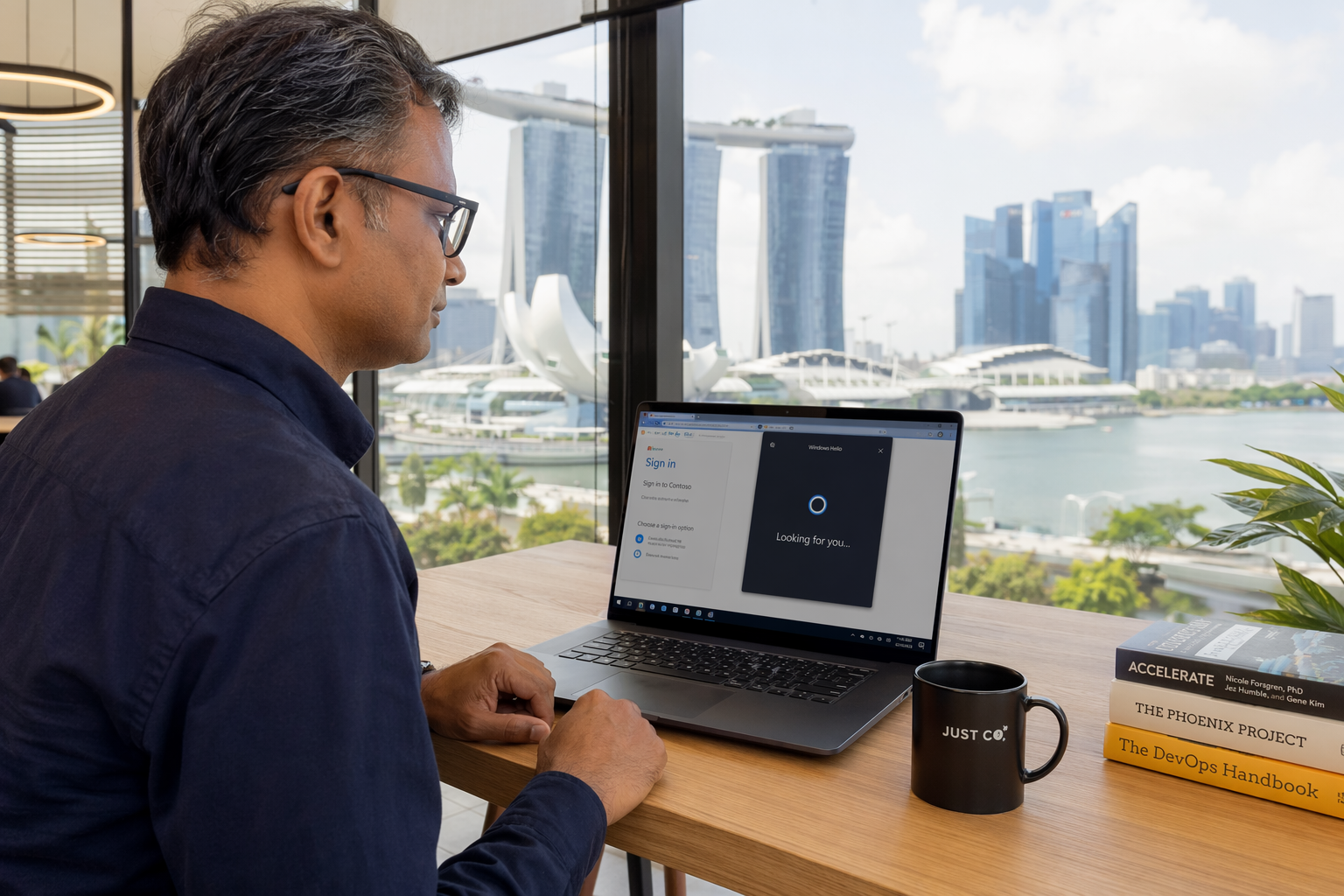
The best part of passkeys is that they don't feel technical at all. They lean on the unlock method you already use every day.
On Apple devices (iPhone, iPad, Mac)
When you sign in, your iPhone or Mac asks you to confirm with Face ID or Touch ID — the same glance or touch you use to unlock the screen. Your passkeys sync securely through iCloud Keychain, so a passkey you create on your iPhone is ready on your Mac and iPad too. Lost your phone? Your passkeys are safely recoverable on your next Apple device.
On Windows (Windows Hello)
On a Windows laptop, Windows Hello handles the confirmation — a quick look at the camera, a fingerprint, or your device PIN. There's no password field to tab through, no autofill to second-guess. You click sign in, Windows asks "Is this you?", and you're in.
On Android
Android phones use your fingerprint, face, or screen lock to approve a passkey, with everything backed up safely through Google Password Manager. You can even use your Android phone to sign in to a website on a nearby computer by scanning a QR code and confirming on your phone — handy when you're working from a shared or borrowed device.
In every case the experience is the same: tap, confirm, done. No remembering, no resetting, no typing.
A Simple Everyday Example
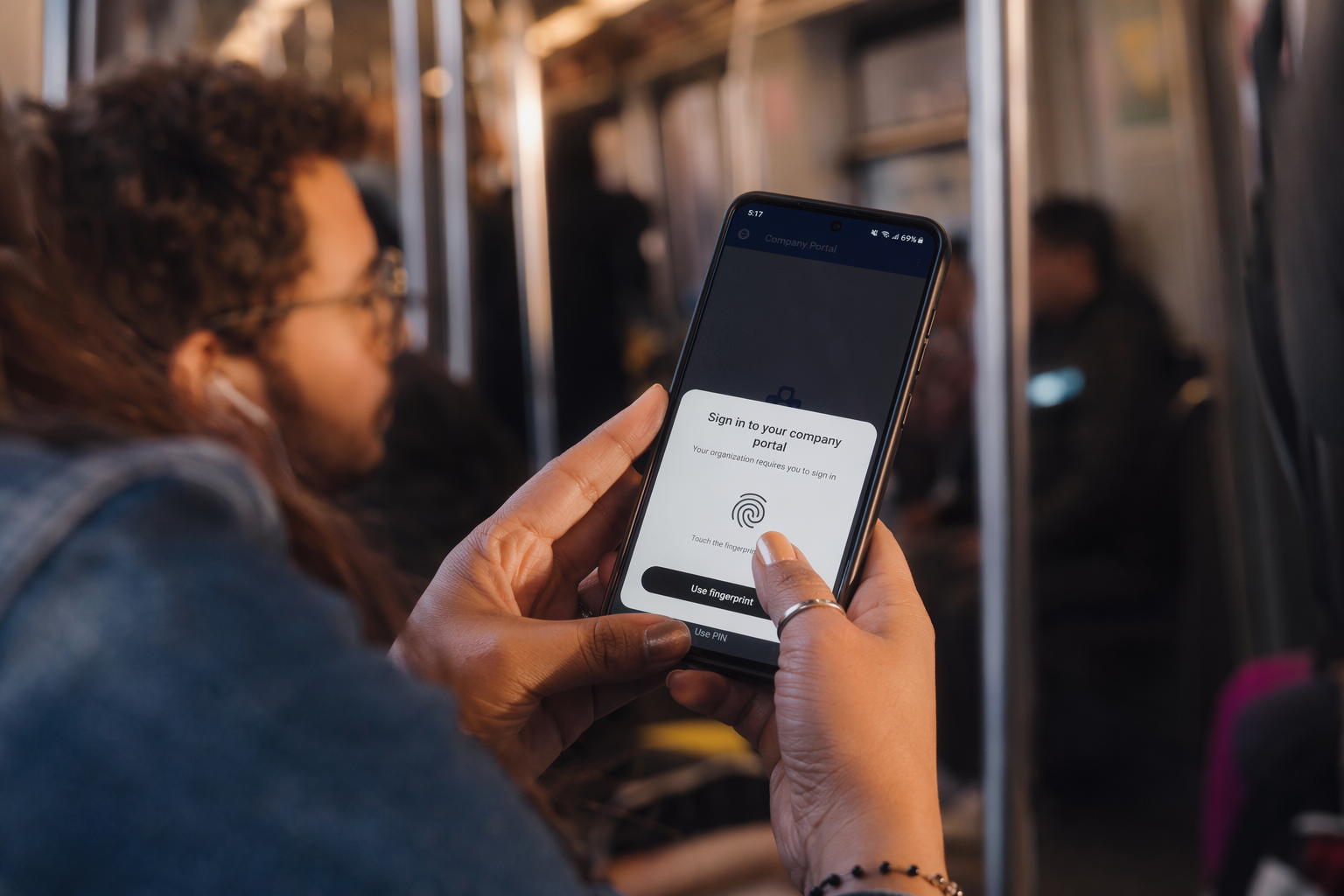
Imagine logging into your company portal on Monday morning.
The old way: you type your email, try to recall which password variation you used, get it wrong twice, request a reset link, wait for the email, create yet another password you'll forget by Friday.
With a passkey: you click "Sign in," your laptop asks for your fingerprint, and you're working within two seconds. If you switch to your phone on the train home, the same passkey is already there. Nothing to carry, nothing to memorize, nothing that a fake email can trick out of you.
That difference — measured across a whole team, every single day — adds up to real time saved and far fewer support tickets.
How Apivom Key Brings It All Together
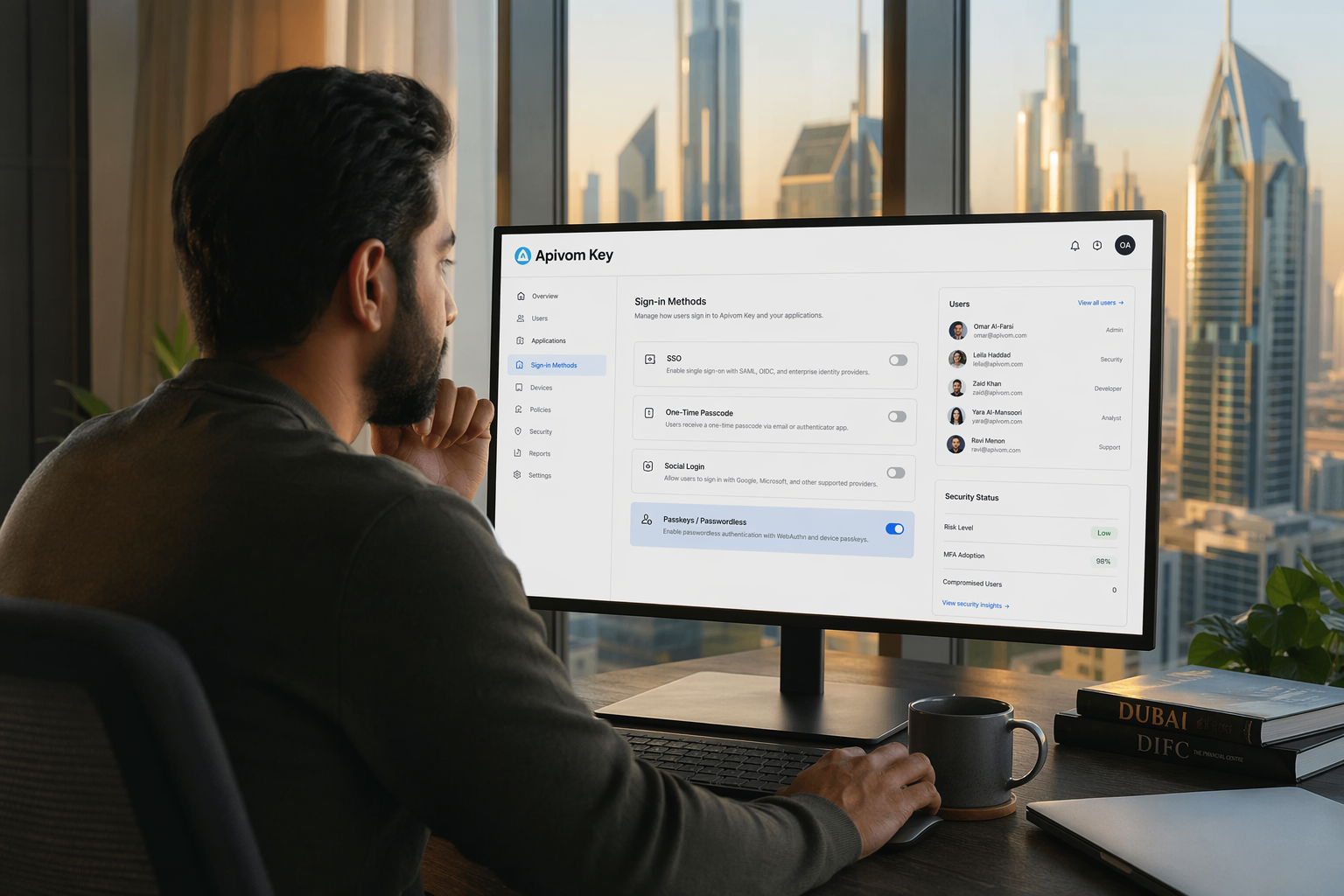
Modern teams rarely use just one sign-in method, and they shouldn't have to choose. Apivom Key is our identity platform, and it supports the full range under one roof: single sign-on (SSO) so one login opens every approved app, one-time passcodes for step-up verification, social and email login for flexibility — and passkeys and passwordless sign-in for the strongest, smoothest experience available.
Because Apivom Key handles identity centrally, you can roll passkeys out gradually. Start by offering them alongside existing logins, let people opt in as they get comfortable, and tighten requirements for sensitive systems over time. The same identity layer secures the rest of the platform too, from our CRM in Apivom Iris to internal tools protected behind Apivom Atlas. For teams that want a complete picture of access and activity, it connects naturally with our security and identity solutions.
The result is sign-in that your people barely notice and attackers can't get past.
The Takeaway
Passwords asked us to be perfect — to remember everything, reuse nothing, and never be fooled. Passkeys ask only that you be yourself: a glance, a touch, a tap. They cut out phishing, eliminate reused and stolen credentials, and turn a daily frustration into a two-second non-event.
Passwordless sign-in isn't a futuristic experiment anymore; it's already in the phone and laptop on your desk. With Apivom Key, you can bring that same simplicity and protection to every app your team relies on — fewer forgotten passwords, fewer breaches, and a login people actually like.